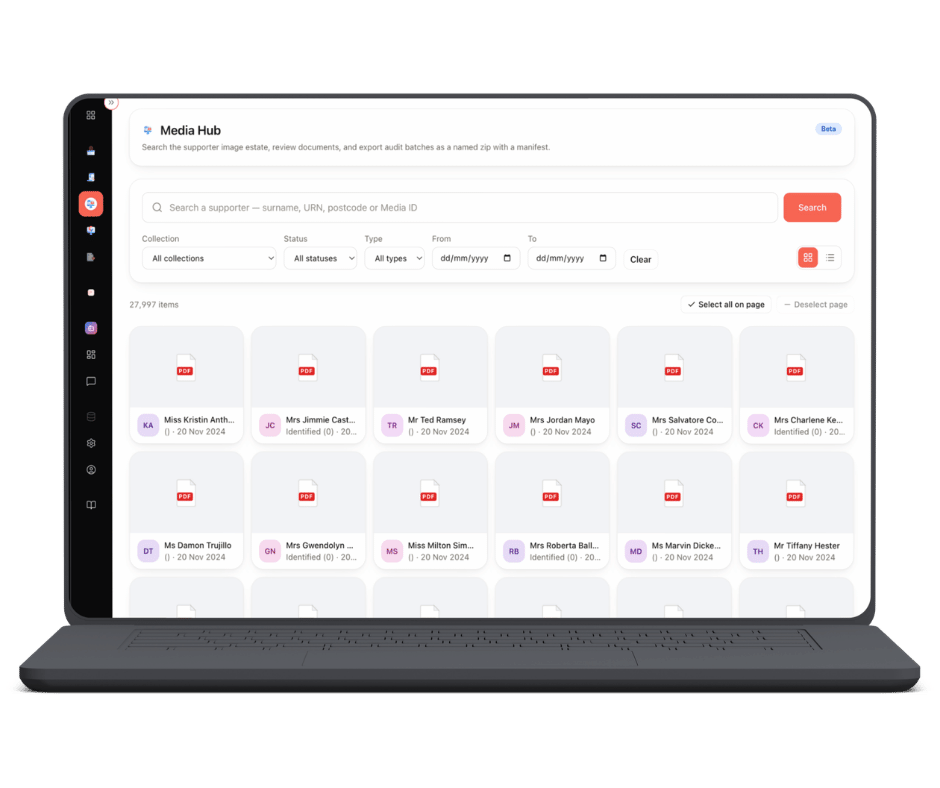
Cascade 2.0 core · Media Hub
The declaration, on the supporter's record
Scans, correspondence and forms filed against the supporter they belong to — so the evidence behind a claim is one click from the record, not a morning in a filing room.


A Gift Aid claim is only as good as the paperwork behind it. When HMRC or your auditor asks to see the declaration covering a donation made four tax years ago — the oldest you can still claim on — the question is never whether you have it. It is how long it takes to find, and whether the person who needs it can get to it themselves.
Media Hub stores your media against the supporter rather than in a folder structure somebody invented in 2014. Declaration scans, correspondence, forms and receipts sit on the supporter record, so whoever is checking a claim line in Gift Aid Hub opens the declaration from the record they already have in front of them.
Because every module reads one supporter record, what Media Hub holds also shows on that supporter in Smart View — and what it does not hold is just as useful. A supporter with no declaration on file can be raised as an Action for somebody to chase, with a reason recorded when it closes.

Every item is indexed to the supporter record it belongs to. You look for the person, not the filename — which is the difference between producing a 2019 declaration in seconds and not producing it at all.

Open, view or download any item straight from the record, including from inside a claim in Gift Aid Hub. Shared assets are versioned and used by reference, so a re-branded letterhead changes everywhere at once instead of in fourteen slightly different places.

Letters the platform generated, email in and out, call notes, receipts and declaration prompts sit on the same supporter timeline, filterable by channel and by campaign. Consent is checked when a message goes out, not when the list was built.

You send us what you hold — media already attached to records in your CRM, a batch indexed in something like SharePoint or Alfresco, or a folder of scans. We load it against the right supporter records rather than dropping it into a drive and leaving you to it.

Find the supporter first, by name or supporter reference, and their media is on the record. No naming convention to remember, no shared drive to guess at, no colleague to ask where the 2018 batch went.

Open, view or download what you need from the record you are already in — checking a donation line in a claim, answering an auditor’s question, or picking up a conversation somebody else started.
Most charities do not hold their media in a state you can simply point at a supporter record. Some of it is already indexed — attached to records in your CRM, or held in a document system such as SharePoint or Alfresco — and that we can import directly.
The rest is the usual mixture: scans with no reference on them, batches named by the date they were posted, declarations filed by the appeal they arrived on. We index, validate and categorise that as part of getting you live, so what lands in Media Hub is attached to the right supporter from the first day you use it.
Tell us what you are holding and we will tell you what it takes.

One supporter, one screen — giving history, Gift Aid position and declaration state, with the media you hold on them attached to the same record.
Learn more
The claim the evidence belongs to — declaration lifecycle, your eligibility rules, submission to HMRC and the rejects that come back.
Learn more